
CMG/CMF Series Solar Charge Controller
CMG/CMF Series Solar Charge Controller
(Full parameters display in the LCD)
Instruction Manual
Model: CMG-2405, CMG-2410, CMG-2415, CMG-2420
CMF-2405, CMF-2410, CMF-2415, CMF-2420
 Description of product model:
 CMG-24 10
10 represents the maximum discharge current is 10A
24 represents the maximum voltage, means 12V/24V auto work
Thank you very much for selecting our product! This manual offers product overview, protection, installation instruction, status instructions, troubleshooting and technical data etc. Please read this manual carefully before using the product.
Product overview
1. With LCD to display all parameters, the LCD has rich contents, the users can intuitively know the working condition of the controller.
2. With built-in energy-saving backlight LCD, display better and more power-efficient.
3. With SMPS DC12V and USB 5V stabilized voltage output, available for DC lamp and phone charging.
4. With output switch, intelligent control, easy to operate;
5. The system power adopts switching mode power supply which can reduce the quiescent current.
5. With separated temperature detected circuit, with high precision temperature compensation function.
7. With exposed terminals, the wiring more convenient, what’s more, the CMF series with metal shell.
8. Use single-chip microcomputer control which makes the controller has the advantages of intelligent, strong adaptability, reliable function.
9. Use PWM upgrade control scheme to WPC mode, which can improve system efficiency and prolong the life span of the battery.
 Protection
1. Over-load protection | 2. Short circuit protection |
3. Lightning protection | 4. Under-voltage protection |
5. Over-charging protection | 6. Reverse Polarity Protection |
Installation Instructions
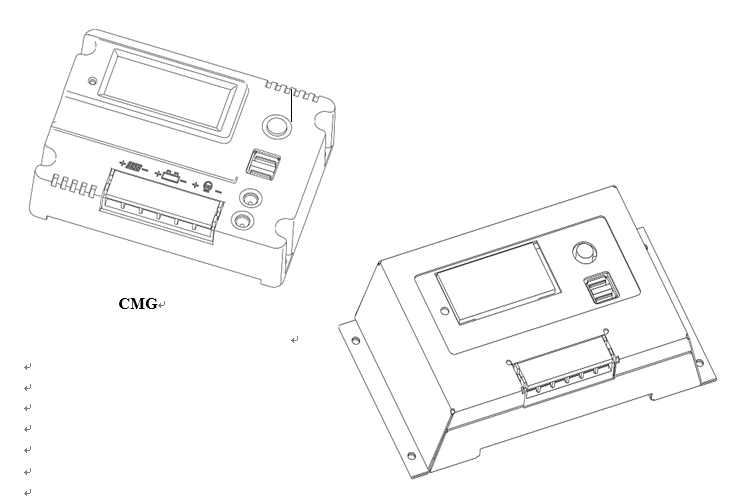
Open the top cover of controller and connect the wire with terminals as the diagram on the top cover of it.
1. Connect the “+”, “-” Poles of the battery to the corresponding ports of controller (the third and the fourth one from left).
2. Connect the “+”, “-” poles of the solar panel to the corresponding ports of controller (the first and the second one from left).
3. Connect the “+”, “-” poles of the load to the corresponding ports of controller (the fifth and the sixth one from left).
Note: If there is connection error, it may damage your controller.
Status instructions
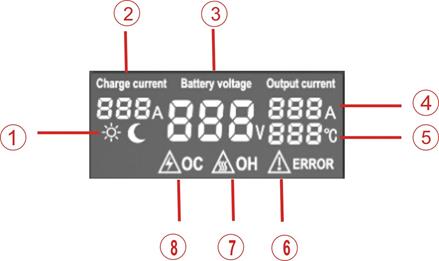 |
① Solar status display (day night display) | ② Charge current display |
③ Battery voltage display | ④ Output current display |
⑤ Environmental temperature display | ⑥ Warning – error display |
⑦ Warning – over heated protection | ⑧ Warning – over current protection |
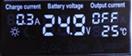 The charge display:
During the day the LCD displays the sun, while charging it displays the charge current directly.
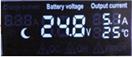 While at night it displays the moon and the charge current parameter will disappear.
Battery voltage display: always display the current battery voltage
Battery under voltage display: when the battery is in the state of under voltage, (in the 12V system the battery voltage is less than 10V, in the 24V system the battery voltage is less than 20V), at this time the load output is not allowed and the output current will displays “OFF”.
The load display:(the default output switch is open)
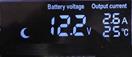
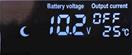 1. In the 12V system, when the battery voltage is less than 10.5V, the output current displays “OFF”, at this time the load output is not allowed. When the battery voltage returns to 12V, the load output restart and displays the output current.
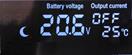
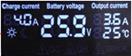
2. In the 24Vsystem, when the battery voltage is less than 21V, the output current displays “OFF”, at this time the load output is not allowed. When the battery voltage returns to 24V, the load output restart and displays the output current.
 |  | ||
3. When the load output overload or short circuit occurs, the controller will start the protect function automatically, and then turn off the load output, it displays “OC” and “ERROR”. The output protection will automatically try to recover after 10s, if the short circuit has been removed, the load output will start to work and displays the output current.
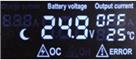 |
Troubleshooting
When the following phenomenon happens, please check as follows
Phenomenon | Trouble shooting |
The LCD cannot display | Check the battery wiring whether is well connected or whether the voltage of the battery is normal or not. |
| Check the PV and battery wire whether is well connected or tight connection or not. |
The charge current is quite low or the charge current keep flashing | 1. The battery is full charged and the system enters into protective charging. 2. The sunshine of the solar panel is insufficient. |
| 1. Reference to the system wiring diagram, check the system whether is well connected or not. 2. Check the power of the battery, the load will start only when the battery voltage is Normal. 3. Connect the solar module, charge the battery until it reach to the normal state. |
the output terminal without voltage | When in the state of over current or short circuit protection, the controller will return to work automatically after finish trouble shooting for 10 seconds. |
Other phenomena | Check the wiring whether is tight or not, and the automatic identification of 12V/24V system is correct or not. |


Note: We keep right to change and update without prior notice.
Technical Data
CMG-2405 CMF-2405 | CMG-2410 CMF-2410 | CMG-2415 CMF-2415 | CMG-2420 CMF-2420 | |
Rated charge current | 5A | 10A | 15A | 20A |
Rated discharge current | 5A | 10A | 15A | 20A |
USB output voltage | 5V | |||
Total USB output current | 3A | |||
DC output voltage | 12V (only CMG) | |||
Total DC output current | 2A (only CMG) | |||
1.5 times by rated current | ||||
Short circuit recovery time | 10s | |||
Open circuit voltage of solar panel | 40V | |||
No load loss | 0.05W | |||
Over voltage protection | 15V; ×2/24V | |||
Float charge voltage | 14V; ×2/24V | |||
Discharge recovery voltage | 12V; ×2/24V | |||
Over discharge voltage | 10.5V; ×2/24V | |||
Control mode | software intelligent control | |||
Working temperature | -35℃~+55℃ | |||
Model | CMG | CMF |
Dimension(L×W×H) | 135*100*30(mm) | 201.6*108*37.1(mm) |
Weight | 275g | 560g |
*Parameters may customized by customers.
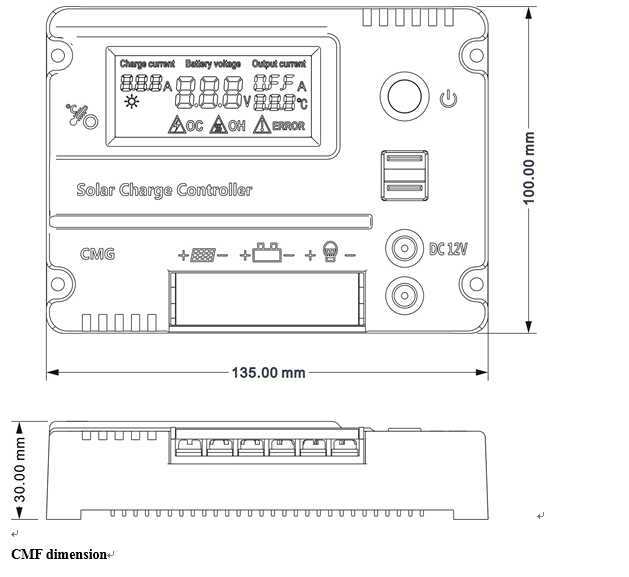
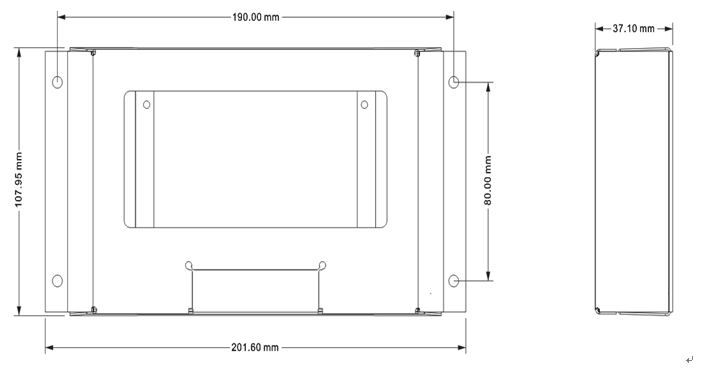
Dimension Figure
CMG dimension
Version: Ueiua V3.1


同类文章排行
- 32650/32700磷酸铁锂电池和18650三元锂电池哪个好?
- 32700磷酸铁锂60AH产品规格书参数
- 32650磷酸铁锂电池与18650三元锂电池到底那个好?
- DS-2CD7A427FWD-XZ(S)(/JM)人脸识别
- 太阳能监控阴天或者雨天供电不足需要加大电池
- 18650锂电池和32650磷酸铁锂电池有什么区别,优点
- 32650/32700磷酸铁锂电池160AH/12.8V技术参数规格书
- RS485海康威视激光夜视500米48倍变焦DS-2DF8248I5X-A
- 海康威视低功耗4G球机太阳能监控DS-NACN54220I-DG
- 海康威视太阳能监控消耗一天要多少4G流量?
最新资讯文章
- 关于铁塔加装太阳能监控供电系统及在线监测设
- 桥梁太阳能储能供电系统
- 物联网太阳能监控供电系统解决方案
- 300W风光互补移动监控车供电系统解决方案
- 太阳能监控供电系统如何实现物联网供电
- 什么是太阳能监控供电系统
- 4G云广播太阳能供电系统
- 光和源智慧太阳能监控供电系统研究报告
- 储能太阳能LED路灯
- 光和源太阳能科技
- 什么是直流高压储能供电池
- 易云电子耐低温电池组产品规格书
- 太阳能监控供电系统加上风力发电有什么优点
- 如何通过远程管理解决供电不足
- 解决太阳能监控供电系统的供电不足
- 太阳能监控供电系统供电不足主要表现在哪几个
- 太阳能监控供电系统如何做到智慧管理
- 太阳能监控供电系统可行性分析报告
- 储能锂电池国家运输有什么具体的要求
- 储能锂电池使用储能逆变器时接通信和不接有什

